

Introduction
This library provides PostgreSQL extensions for executing chDB queries in Postgres, and for copying data to and from a variety of formats anb object stores.chdb Extension
Thechdb extension runs chDB queries. The chdb_query() function executes
a single query. For example, this query:
chdb_hook Module
Thechdb_hook module hooks into the COPY command to copy data to or from
an S3, GCS, Azure Blob, file, or http URL. This example loads records from
multiple CSV files on S3 in a single COPY command:
times table contains the records from each file it loaded:
Benchmarking Formats
A benchmark compare the performance of chdb_hookCOPY to that of
aws_s3, pg_duckdb, and pg_lake for ca. 1m rows of NYC Taxi dataset in
a variety of formats.
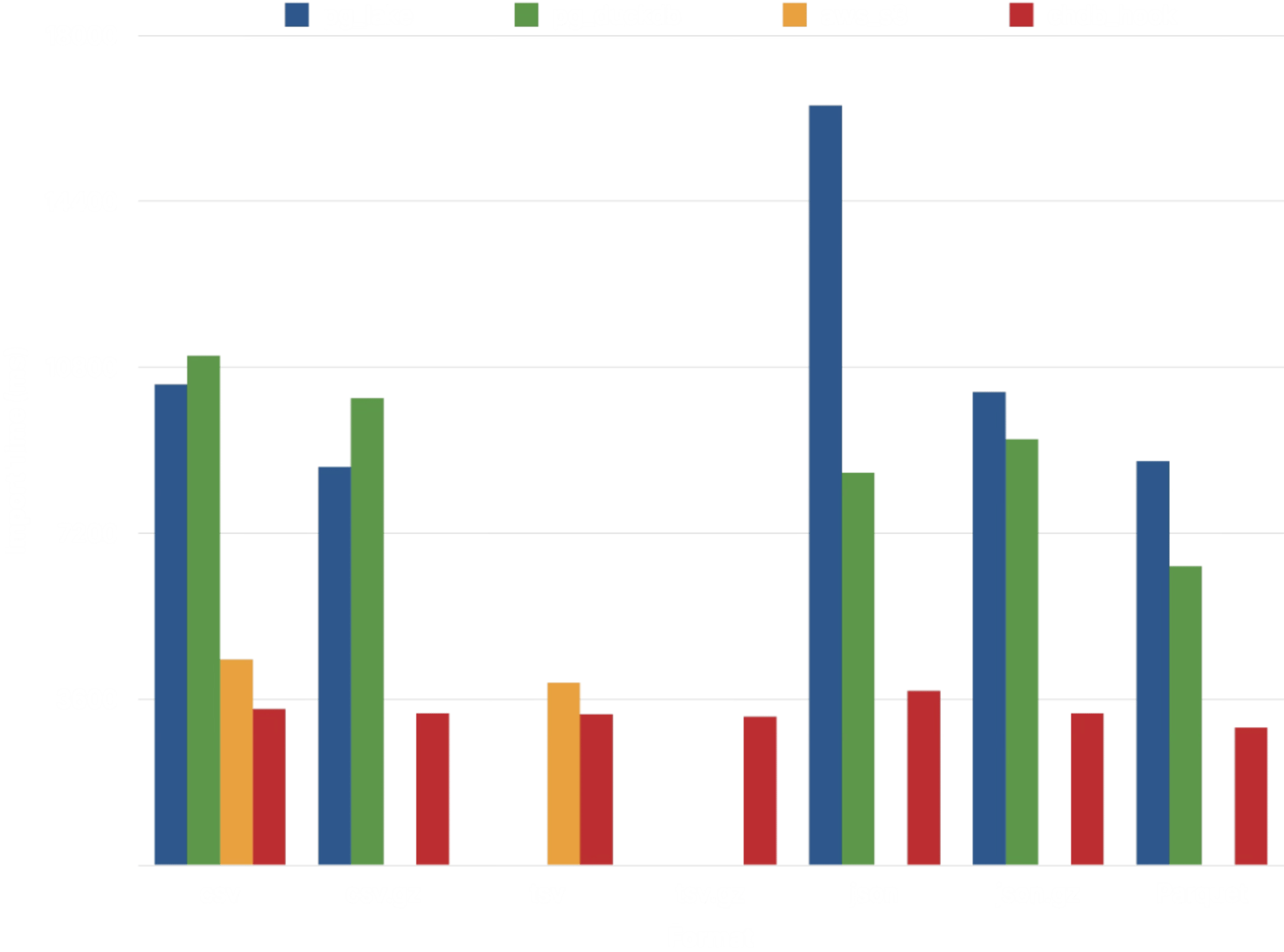
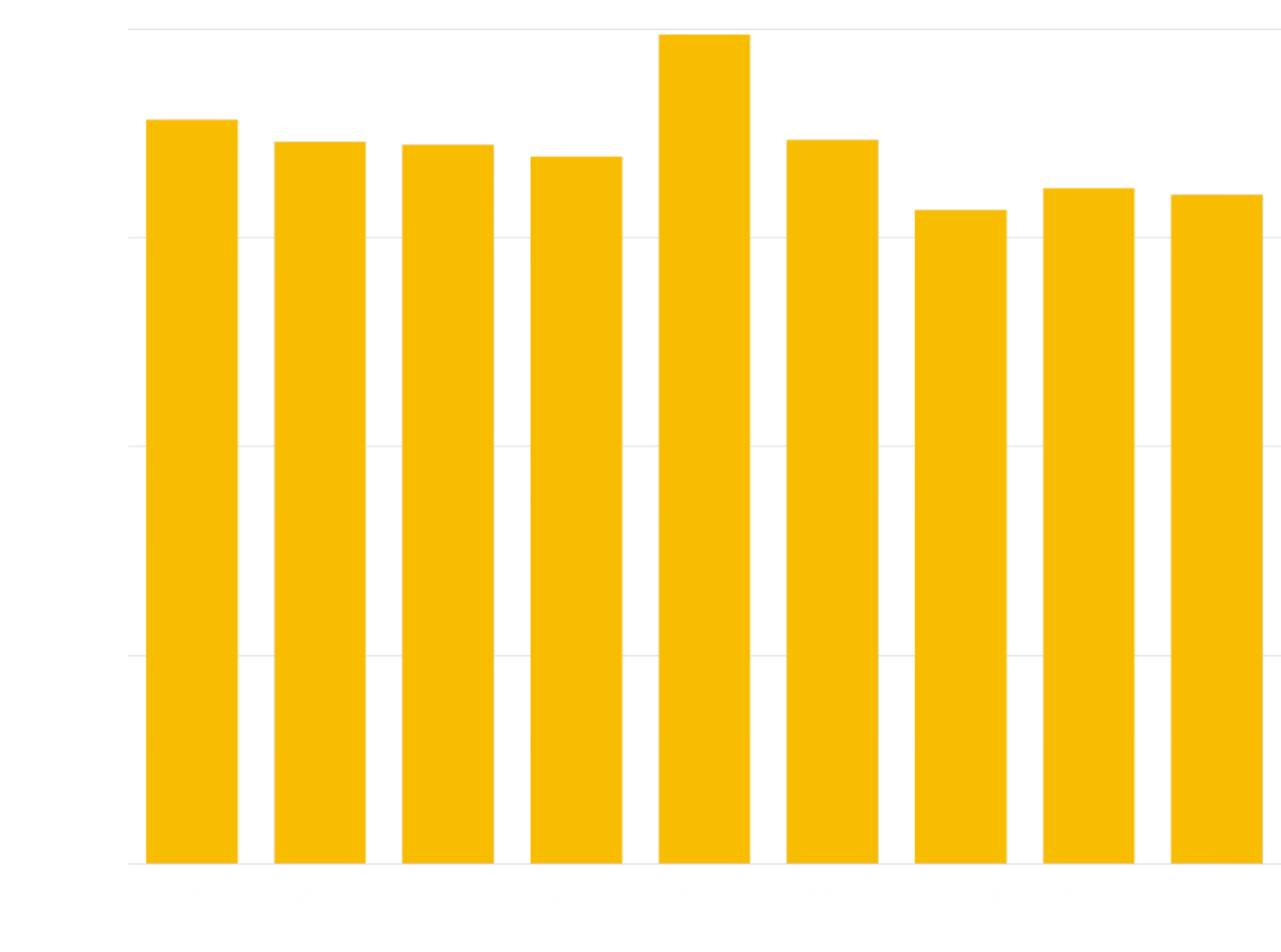
Additional benchmarking demonstrates relatively consistent performance
importing the NYC Taxi dataset in a variety of formats:
Architecture
The chdb and chdb_hook extensions rely on achdb_helper process to execute
chDB queries. The helper keeps the resource consumption of chDB separate
from the main Postgres process, an advantage for an occasionally-used workflow
such as loading data from a data lake.
Dependencies
Thechdb extension requires PostgreSQL 15 or higher and the chDB library
v26.7.0 or greater (currently available only for Linux and macOS). The
simplest way to install it is via the lib.chdb.io shell script:
make commands.
Makefile will download the static libchdb library and compile it into
the app.
On Linux, you can also have the installation process download and install the
dynamic libchdb library by setting export BUNDLE_LIBCHDB=1 before running
the Installation make commands.
Compile from source
To build chdb, just do this:gmake:
pg_config installed and in your path. If you used a
package management system such as RPM to install PostgreSQL, be sure that the
-devel package is also installed. If necessary tell the build process where
to find it:
/usr/local:
prefix argument to install (but no other make targets):
postgresql.conf
parameters: